Add support for changing the LED mode via the device tree.
Currently it always defaults to SERIAL mode. With this change,
one can also use the SINGLE_COLOR_SCAN and BI_COLOR_SCAN modes.

Signed-off-by: Manuel Stocker <mensi@mensi.ch>
Link: https://github.com/openwrt/openwrt/pull/23160
Signed-off-by: Hauke Mehrtens <hauke@hauke-m.de>
Use SWITCH_PORT_LED instead of full verbose port definitions to
simplify and clean up the DTS.

Signed-off-by: Jonas Jelonek <jelonek.jonas@gmail.com>
Link: https://github.com/openwrt/openwrt/pull/23118
Signed-off-by: Hauke Mehrtens <hauke@hauke-m.de>
Replace the verbose ethernet-phy node definitions with the PHY_C45 and
PHY_C45_PAIR_ORDER macros to drop boilerplate.

Signed-off-by: Jonas Jelonek <jelonek.jonas@gmail.com>
Link: https://github.com/openwrt/openwrt/pull/23118
Signed-off-by: Hauke Mehrtens <hauke@hauke-m.de>
Replace the raw bitmask values for led_set entries with the
RTL93XX_LED_SET_* macros from macros.dtsi to make the LED configuration
self-explanatory.

Signed-off-by: Jonas Jelonek <jelonek.jonas@gmail.com>
Link: https://github.com/openwrt/openwrt/pull/23118
Signed-off-by: Hauke Mehrtens <hauke@hauke-m.de>
Make use of the SWITCH_PORT_SFP macro to simplify and make the DTS of
several devices cleaner.

Signed-off-by: Jonas Jelonek <jelonek.jonas@gmail.com>
Link: https://github.com/openwrt/openwrt/pull/23118
Signed-off-by: Hauke Mehrtens <hauke@hauke-m.de>
The nRESET pins of the RTL8224 PHY on the MCX3 are wired to GPIO6 of the
SoC, but this was never described in the devicetree.

Commit c99a30668d5f ("realtek: add RTL8224 initialization to Realtek
driver") introduced support for reinitializing RTL8224 PHYs, and commit
084da38a2e74 ("realtek: mdio: activate multiple busses") allowed the MDIO
bus provider load the devicetree properties to the bus, including reset
descriptors. With both in place, a bus level PHY reset via the hardware pin
is now correctly triggered before reinitialization.

Add the missing reset-gpios property so the PHY can be reset via the
hardware pin.

Signed-off-by: Sven Eckelmann <sven@narfation.org>
Link: https://github.com/openwrt/openwrt/pull/22966
Signed-off-by: Robert Marko <robimarko@gmail.com>
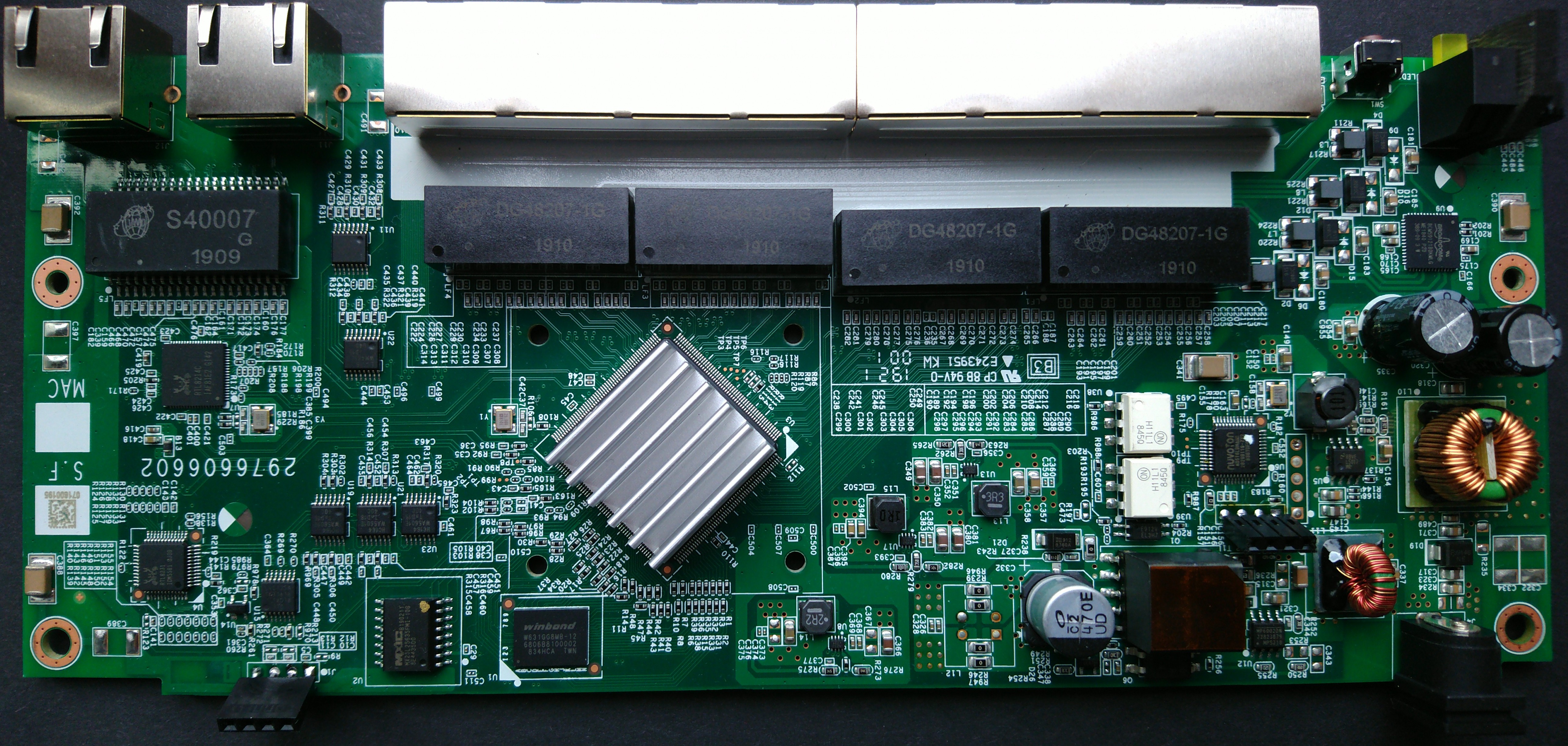
This commit adds support for Hasivo S600WP-5GT-2SX-SE switch.

Device specification
--------------------
SoC Type:               Realtek RTL9303
RAM:                    128MB DDR3 SDRAM
Flash:                  Fudan FM25Q128A (16 MB)
Ethernet:               5x RTL8221B 10/100/1000/2500Mbps PHY (RJ45)
                        2x SFP+ 10G (I2C/DOM via bit-banged GPIO)
LEDs:                   1x power green (no control)
                        1x system green (via RTL9303 GPIO)
                        3x RJ45 LEDs/port (HC595 shift regs on LED SPI)
                                1x Green (1G link)
                                1x Green (10M/100M link)
                                1x Orange (2.5G link)
                        2x SFP+ LEDs/port (HC595 shift regs on LED SPI)
                                1x 10G link
                                1x 1G link
Button:                 Reset
USB ports:              None
Bootloader:             Realtek U-Boot 2011.12
PoE:                    1x HS104PTI for 802.3af/at/bt PoE (driver
                        will follow in a separate patch)

Installing OpenWrt
------------------
1. UART RJ45 requires soldering a connector to the empty footprint (RJ1).
   (Amphenol RJHSEE380 or similar)
2. Connect to UART 38400@8n1, using Cisco Console Rollover cable (RS232)
3. Enter bootloader by pressing esc key during boot
4. Enter password `Hs2021cfgmg`
5. Type `XXXX` to get into U-Boot
6. Increase baudrate: `setenv baudrate 115200`
7. Use serial transfer (Y modem) via minicom:
   `loady 0x84f00000`
   Then send the initramfs image via minicom's Y modem upload.
8. `bootm 0x84f00000`

Now you should be in OpenWrt, and can use sysupgrade to install.

Signed-off-by: Carlo Szelinsky <github@szelinsky.de>
Link: https://github.com/openwrt/openwrt/pull/22310
Signed-off-by: Robert Marko <robimarko@gmail.com>
With the recent backport of the common PHY properties infrastructure
(phy-common-props and the phy_get_manual_{rx,tx}_polarity() helpers) to
OpenWrt, the generic `{rx,tx}-polarity` device tree properties are now
usable for the Realtek PCS driver. Switch the driver and all affected
boards from the local vendor-specific `realtek,pnswap-{rx,tx}` booleans
to the common properties.

Add a `config_polarity` SerDes op (implemented by RTL930x and RTL931x;
RTL838x/RTL839x polarity support not yet added) and a generic wrapper
that resolves the requested polarity via phy_get_manual_{rx,tx}_polarity()
and dispatches to the op. Variants without the op silently accept the
default polarity but warn when a non-default polarity is requested,
since that cannot be honored.

Move the polarity programming out of the variant setup_serdes callbacks
into rtpcs_pcs_config, so it runs before setup_serdes. This matches the
ordering used by the vendor SDK, which configures polarity first.

Update all board DTS files that previously used `realtek,pnswap-{rx,tx}`
to the new `{rx,tx}-polarity = <PHY_POL_INVERT>` property, and select
PHY_COMMON_PROPS from Kconfig.

Each SerDes now retains its DT node for later polarity lookup. Use
for_each_child_of_node_scoped for the iterator, and register a
devm_add_action_or_reset for each stored reference so it is released on
unbind or probe failure.

Signed-off-by: Jonas Jelonek <jelonek.jonas@gmail.com>
Link: https://github.com/openwrt/openwrt/pull/23044
Signed-off-by: Robert Marko <robimarko@gmail.com>
The EXTERNAL_SFP_PHY macro is very strange. It has attributes
sfp and media but is not linked to any SFP definition. There
is nothing that the kernel can evaluate better than the classic
PHY_C22 macro.

Remark! For the current D-Link DGS-1210 consumers this macro
should be converted to a PHY_C22_SFP in the future. As of now
there is no hardware to identify the proper gpios and define
and verify the corresponding SFP ports. Add a TODO comment
where needed.

Signed-off-by: Markus Stockhausen <markus.stockhausen@gmx.de>
Link: https://github.com/openwrt/openwrt/pull/23036
Signed-off-by: Robert Marko <robimarko@gmail.com>
Several EXTERNAL macros have been removed in the past. There is
no need to distinguish if a phy is built into the SoC or is
attached externally.

Do the same for EXTERNAL_SFP_PHY_FULL. This macro denotes a phy
that has a SFP port attached to it. This is usually RTL8214FC
based. To be consistent with other macros name it PHY_C22_SFP.
While we are here make use of the new port/phy notation.

So PHY_C22_SFP(p, n, s) gives

- p: the overall port number
- n: the phy address on the current bus
- s: the sfp identifier

Signed-off-by: Markus Stockhausen <markus.stockhausen@gmx.de>
Link: https://github.com/openwrt/openwrt/pull/23036
Signed-off-by: Robert Marko <robimarko@gmail.com>
Add support for RTL9313-based Zyxel XS1930-12HP, a 12-port Multi-Gig
switch with 10x 100M/1G/2.5G/5G/10G RJ45 and 2x 1G/10G SFP+ ports.

Hardware
========

  - RTL9313 SoC
  - 256MiB DDR3 RAM (Winbond W632GU6MB)
  - 32MiB SPI-NOR Flash (Macronix MX25L25645G)
  - 8x 100M/1G/2.5G/5G/10G RJ45 (Aquantia AQR813)
  - 2x 100M/1G/2.5G/5G/10G RJ45 (2x Aquantia AQR113C)
  - 2x 1G/10G SFP+
  - PoE:
    - Ports 1-8 with PoE++/802.3bt
    - 2x RTL8239 + GigaDevice FD32F103 MCU
  - RTL8231 for port LEDs
  - LM96000 I2C hardware monitor
  - 3-pin fans
  - Front LEDs: PWR, SYS, CLOUD, LOCATOR, POE USAGE
  - Console: TTL 3.3V, 115200 8N1
  - Software chain:
    - Bootbase/stripped-down U-Boot
    - BootExt
    - RAS/ZyNOS

Console
=======

The console port is a 4-pin header reachable without opening case.
Looking at the front port-side of the device, turn the device 90 degrees
clockwise. On this side, there's a rectangular opening in the honeycomb
structure. Pinout is (from left/front to right/back): GND RX TX VCC

Hardware quirks
===============

* The SFP signals RX_LOS, MOD_ABS and TX_FAULT do not have dedicated GPIO
  lines each. Instead, there's a multiplexer (using GPIO12 and GPIO14)
  which - depending on its state - connect this single GPIO line to RX_LOS,
  MOD_ABS or TX_FAULT (GPIO19 for SFP1, GPIO27 for SFP2). This requires
  a special adapter driver (which is backed by a gpio-mux) that makes
  this hardware design and Linux' SFP core work together.

* SFP slots are disabled by default. GPIO6 and GPIO7 seems to be gates
  for SFP1 and SFP2 respectively. The need to be pulled low to make SFP
  modules work (i.e. respond to I2C requests and pass GPIO signals).

* Fan can only be set to SLOW or FAST mode, no real speed/PWM control.

Disclaimer
==========

PoE not yet supported.

Flashing OpenWrt will overwrite BootExtension + ZyNOS. BootExtension
functionality (e.g. initramfs boot as mentioned below) is not available
anymore then. The U-boot/Bootbase still has some limited functionality
which can be used in emergency cases.

Installation
============

Simple web upgrade:

1. Take the OpenWrt factory.bin image generated by the build.

2. In the ZyNOS web UI, login and go to Maintenance -> Firmware Upgrade.

3. Under "Boot Image", make sure the Config Boot Image is set to 1. In
   other words, make sure the switch booted from firmware image 1 or it
   will do so on next reboot.
   This is crucial, otherwise OpenWrt cannot boot.

4. Below, select and upload the factory.bin image. After clicking
   upgrade, the image will be flashed.

5. After flashing has finished, reboot the switch. It will now boot into
   OpenWrt.

Initramfs boot
==============

NOTE: You need to use Xmodem transfer, the bootloader doesn't support
      Ymodem nor any networking.
      This only works as long as the default ZyNOS firmware is
      installed.

1. Connect to the switch using serial and interrupt the boot process
   to enter debug/recovery mode.

2. You need to unlock the bootloader. Use known methods [1] and [2] to
   obtain the unlock code and unlock the bootloader with:

   > ATEN 1,<unlock_code>

3. Upload the initramfs image using Xmodem:

   > ATUP <address>,<file_length>

   <address>: you may use any RAM address >= 0x80300000
   <file_length>: length of image in bytes

4. After the transfer has finished, boot the image with:

   > ATGO <address>

5. Wait for OpenWrt to boot. At this stage, it might be wise to create a
   backup/dump of the Flash partitions.

Return to stock firmware
========================

1. Download the firmware for the switch from Zyxel website.

2. Unzip the download, there should be a .bin file with a alphanumeric
   name.

3. Upload this file to running OpenWrt.

4. Run (use -F since the image doesn't have image metadata):

   > sysupgrade -F <stock-firmware>.bin

5. Wait for the sysupgrade to succeed and the switch reboot. At the next
   boot, ZyNOS should come up again.

Recovery
========

The Bootbase loader is actually a modified U-Boot variant. You can enter
it by spamming $ during the DRAM test.

The U-Boot shell can be unlocked with [1] and [2]. Note that the command
is slightly different, using a space instead of a comma, and lowercase:

> aten 1 <unlock_code>

You should now have more-or-less a standard RTK-U-boot shell from where
you can upload and write a new image to flash. Use e.g.:

> upgradeY image2 81000000 115200

Wait for the upgrade process to finish and reboot the switch.

===
[1] https://akao.co.uk/tools/zyxel_unlocker/
[2] https://www.ixo.de/info/zyxel_uclinux/

Signed-off-by: Jonas Jelonek <jelonek.jonas@gmail.com>
Link: https://github.com/openwrt/openwrt/pull/22909
Signed-off-by: Robert Marko <robimarko@gmail.com>
Add support for RTL9313-based Zyxel XS1930-12F, a 12-port Multi-Gig
switch with 8x 1G/10G SFP+ ports and 2x 100M/1G/2.5G/5G/10G RJ45.

Hardware
========

  - RTL9313 SoC
  - 256MiB DDR3 RAM (Nanya NT5CC128M16JR-EK)
  - 32MiB SPI-NOR Flash (Macronix MX25L25645G)
  - 10x 1G/10G SFP+
  - 2x 100M/1G/2.5G/5G/10G RJ45 (2x Aquantia AQR113C)
  - 2x RTL8231 for GPIO expansion + port LEDs
  - TI PM555 GPIO expander
  - LM96000 I2C hardware monitor
  - 3-pin fan
  - Front LEDs: PWR, SYS, CLOUD, LOCATOR
  - Console: TTL 3.3V, 115200 8N1
  - Software chain:
    - Bootbase/stripped-down U-Boot
    - BootExt
    - RAS/ZyNOS

Console
=======

The console port is a 4-pin header reachable without opening case.
Looking at the front port-side of the device, turn the device 90 degrees
clockwise. On this side, there's a rectangular opening in the honeycomb
structure. Pinout is (from left/front to right/back): GND RX TX VCC

Hardware quirks
===============

* SFP slots are disabled by default. Several GPIO lines on the PM555
  GPIO expander need to be pulled low to activate SFPs, one for each SFP
  slot. Otherwise modules cannot respond to I2C requests and GPIO signals
  do not reach the SoC.

* Fan can only be set to SLOW or FAST mode, no real speed/PWM control.

Disclaimer
==========

Flashing OpenWrt will overwrite BootExtension + ZyNOS. BootExtension
functionality (e.g. initramfs boot as mentioned below) is not available
anymore then. The U-boot/Bootbase still has some limited functionality
which can be used in emergency cases.

Installation
============

Simple web upgrade:

1. Take the OpenWrt factory.bin image generated by the build.

2. In the ZyNOS web UI, login and go to Maintenance -> Firmware Upgrade.

3. Under "Boot Image", make sure the Config Boot Image is set to 1. In
   other words, make sure the switch booted from firmware image 1 or it
   will do so on next reboot.
   This is crucial, otherwise OpenWrt cannot boot.

4. Below, select and upload the factory.bin image. After clicking
   upgrade, the image will be flashed.

5. After flashing has finished, reboot the switch. It will now boot into
   OpenWrt.

Initramfs boot
==============

NOTE: You need to use Xmodem transfer, the bootloader doesn't support
      Ymodem nor any networking.
      This only works as long as the default ZyNOS firmware is
      installed.

1. Connect to the switch using serial and interrupt the boot process
   to enter debug/recovery mode.

2. You need to unlock the bootloader. Use known methods [1] and [2] to
   obtain the unlock code and unlock the bootloader with:

   > ATEN 1,<unlock_code>

3. Upload the initramfs image using Xmodem:

   > ATUP <address>,<file_length>

   <address>: you may use any RAM address >= 0x80300000
   <file_length>: length of image in bytes

4. After the transfer has finished, boot the image with:

   > ATGO <address>

5. Wait for OpenWrt to boot. At this stage, it might be wise to create a
   backup/dump of the Flash partitions.

Return to stock firmware
========================

1. Download the firmware for the switch from Zyxel website.

2. Unzip the download, there should be a .bin file with a alphanumeric
   name.

3. Upload this file to running OpenWrt.

4. Run (use -F since the image doesn't have image metadata):

   > sysupgrade -F <stock-firmware>.bin

5. Wait for the sysupgrade to succeed and the switch reboot. At the next
   boot, ZyNOS should come up again.

Recovery
========

The Bootbase loader is actually a modified U-Boot variant. You can enter
it by spamming $ during the DRAM test.

The U-Boot shell can be unlocked with [1] and [2]. Note that the command
is slightly different, using a space instead of a comma, and lowercase:

> aten 1 <unlock_code>

You should now have more-or-less a standard RTK-U-boot shell from where
you can upload and write a new image to flash. Use e.g.:

> upgradeY image2 81000000 115200

Wait for the upgrade process to finish and reboot the switch.

===
[1] https://akao.co.uk/tools/zyxel_unlocker/
[2] https://www.ixo.de/info/zyxel_uclinux/

Signed-off-by: Jonas Jelonek <jelonek.jonas@gmail.com>
Link: https://github.com/openwrt/openwrt/pull/22909
Signed-off-by: Robert Marko <robimarko@gmail.com>
Add support for RTL9313-based Zyxel XS1930-10, a 10-port Multi-Gig
switch with 8x 100M/1G/2.5G/5G/10G RJ45 and 2x 1G/10G SFP+ ports.

Hardware
========

  - RTL9313 SoC
  - 256MiB DDR3 RAM (Winbond W632GU6MB)
  - 32MiB SPI-NOR Flash (Macronix MX25L25645G)
  - 8x 100M/1G/2.5G/5G/10G RJ45 (Aquantia AQR813)
  - 2x 1G/10G SFP+
  - RTL8231 for port LEDs
  - LM96000 I2C hardware monitor
  - 3-pin fan
  - Front LEDs: PWR, SYS, CLOUD, LOCATOR
  - Console: TTL 3.3V, 115200 8N1
  - Software chain:
    - Bootbase/stripped-down U-Boot
    - BootExt
    - RAS/ZyNOS

Console
=======

The console port is a 4-pin header reachable without opening case.
Looking at the front port-side of the device, turn the device 90 degrees
clockwise. On this side, there's a rectangular opening in the honeycomb
structure. Pinout is (from left/front to right/back): GND RX TX VCC

Hardware quirks
===============

* The SFP signals RX_LOS, MOD_ABS and TX_FAULT do not have dedicated GPIO
  lines each. Instead, there's a multiplexer (using GPIO12 and GPIO14)
  which - depending on its state - connect this single GPIO line to RX_LOS,
  MOD_ABS or TX_FAULT (GPIO19 for SFP1, GPIO27 for SFP2). This requires
  a special adapter driver (which is backed by a gpio-mux) that makes
  this hardware design and Linux' SFP core work together.

* SFP slots are disabled by default. GPIO6 and GPIO7 seems to be gates
  for SFP1 and SFP2 respectively. The need to be pulled low to make SFP
  modules work (i.e. respond to I2C requests and pass GPIO signals).

* Fan can only be set to SLOW or FAST mode, no real speed/PWM control.

Disclaimer
==========

Flashing OpenWrt will overwrite BootExtension + ZyNOS. BootExtension
functionality (e.g. initramfs boot as mentioned below) is not available
anymore then. The U-boot/Bootbase still has some limited functionality
which can be used in emergency cases.

Installation
============

Simple web upgrade:

1. Take the OpenWrt factory.bin image generated by the build.

2. In the ZyNOS web UI, login and go to Maintenance -> Firmware Upgrade.

3. Under "Boot Image", make sure the Config Boot Image is set to 1. In
   other words, make sure the switch booted from firmware image 1 or it
   will do so on next reboot.
   This is crucial, otherwise OpenWrt cannot boot.

4. Below, select and upload the factory.bin image. After clicking
   upgrade, the image will be flashed.

5. After flashing has finished, reboot the switch. It will now boot into
   OpenWrt.

Initramfs boot
==============

NOTE: You need to use Xmodem transfer, the bootloader doesn't support
      Ymodem nor any networking.
      This only works as long as the default ZyNOS firmware is
      installed.

1. Connect to the switch using serial and interrupt the boot process
   to enter debug/recovery mode.

2. You need to unlock the bootloader. Use known methods [1] and [2] to
   obtain the unlock code and unlock the bootloader with:

   > ATEN 1,<unlock_code>

3. Upload the initramfs image using Xmodem:

   > ATUP <address>,<file_length>

   <address>: you may use any RAM address >= 0x80300000
   <file_length>: length of image in bytes

4. After the transfer has finished, boot the image with:

   > ATGO <address>

5. Wait for OpenWrt to boot. At this stage, it might be wise to create a
   backup/dump of the Flash partitions.

Return to stock firmware
========================

1. Download the firmware for the switch from Zyxel website.

2. Unzip the download, there should be a .bin file with a alphanumeric
   name.

3. Upload this file to running OpenWrt.

4. Run (use -F since the image doesn't have image metadata):

   > sysupgrade -F <stock-firmware>.bin

5. Wait for the sysupgrade to succeed and the switch reboot. At the next
   boot, ZyNOS should come up again.

Recovery
========

The Bootbase loader is actually a modified U-Boot variant. You can enter
it by spamming $ during the DRAM test.

The U-Boot shell can be unlocked with [1] and [2]. Note that the command
is slightly different, using a space instead of a comma, and lowercase:

> aten 1 <unlock_code>

You should now have more-or-less a standard RTK-U-boot shell from where
you can upload and write a new image to flash. Use e.g.:

> upgradeY image2 81000000 115200

Wait for the upgrade process to finish and reboot the switch.

===
[1] https://akao.co.uk/tools/zyxel_unlocker/
[2] https://www.ixo.de/info/zyxel_uclinux/

Signed-off-by: Jonas Jelonek <jelonek.jonas@gmail.com>
Link: https://github.com/openwrt/openwrt/pull/22909
Signed-off-by: Robert Marko <robimarko@gmail.com>
Add generic support for Zyxel's XS1930 10G switch lineup. This will be
used by subsequent patches to share common behavior/settings.

Common specs:

- Realtek RTL9313 switch SoC
- 256MB RAM
- 32MB Flash with shared layout
- different 10G copper/SFP port configurations

The devices use a proprietary software chain from Zyxel, consisting of:
- stripped-down, heavily modified U-boot masked as "Bootbase"
- BootExtension stage2 loader
- Thread-X based ZyNOS

Those devices require to add some symbols to the kernel config, i.e.
CONFIG_AQUANTIA_PHY for the used PHYs and symbols for GPIO peripherals
and muxes due to the hardware design.

Signed-off-by: Jonas Jelonek <jelonek.jonas@gmail.com>
Link: https://github.com/openwrt/openwrt/pull/22909
Signed-off-by: Robert Marko <robimarko@gmail.com>
The XMG1915-10E is a switch with 8 copper ports and 2 SFP+ cages.

Specifications:
---------------
  * SoC: RTL9302C
  * Flash: 32 MiB SPI NOR flash
  * RAM: 256 MiB
  * Ethernet: 8x 10/100/1000/2500 Mbps (RTL8224)
  * SFP: 2x SFP+ cages
  * UART: 1x 4 pins serial header, 115200 bauds, 8n1, 3.3v logic levels,
          pinout: unused (top), TX, RX, GND (bottom)
  * Buttons: 1x "Reset" button

Works:
------
  - 2 SFP+ cages either 1G/10G or 2.5G
  - 8*2.5G Ethernet ports
  - Switch function
  - LEDs
  - Boot from flash
  - Assigning MAC addresses from flash

Ethernet ports:
---------------
The 8x 2.5Gbps ethernet ports are provided by two RTL8224 chips. The
ports are supported by the upstream realtek PHY driver plus a local
initialization patch for the 10g-qxgmii mode.

Installation:
-------------
This device uses ZyNOS instead of Linux which makes the installation a
bit cumbersome. OpenWRT will be installed on the slot of the second
firmware image, thus the switch original firmware can be booted with a
little change. The serial console is required.

1. Set the switch to boot from the first image. This is required to
   be sure not to be blocked in the middle of the installation
   procedure.

2. Connect to the switch using the serial adapter and interrupt the boot
   process by pressing "Enter" repeatedly.

3. Load the OpenWRT initramfs image using xmodem. From bootext console
   (use ATHE to get the list of commands):

   > ATUP 81800000,file_length
   > ATGO 81800000

4. Wait for OpenWRT to boot, once this is done transfer the loader
   binary and the sysupgrade image to /tmp using scp.

5. Install OpenWRT permanently by writing the images on the flash:

  > mtd write /tmp/loader.bin loader
  > mtd write /tmp/sysupgrade.bin firmware

6. Reboot the switch and from the stock firmware set the configuration
   to boot from the second image (Maintenance > Firmware upgrade > Boot
   image).

7. Reboot again and enjoy OpenWRT.

Recovery/Return to stock:
-------------------------
1. Connect the switch using the serial adapter and interrupt the boot
   process during the "DRAM POST: Testing:" sequence by pressing '$'
   until the "XMG1915$" prompt appears.

2. Start an ymodem upgrade using the following command and use an xmodem
   upload tool to send the .bin file provided in an OEM upgrade package.

   XMG1915$ upgradeY image2 81000000 115200
   ## Ready for binary (ymodem) download to 0x081000000 at 115200 bps...

3. Wait for the upgrade process to finish and reboot the switch.

Signed-off-by: Damien Dejean <dam.dejean@gmail.com>
Link: https://github.com/openwrt/openwrt/pull/21341
Signed-off-by: Robert Marko <robimarko@gmail.com>
Use the new macro for the SFP ports.

Signed-off-by: Markus Stockhausen <markus.stockhausen@gmx.de>
Link: https://github.com/openwrt/openwrt/pull/22947
Signed-off-by: Robert Marko <robimarko@gmail.com>
The MCU (GD32E230G8) which controls the RTL8239 POE++ PSE chips can
sometimes hang. In this case, it is necessary to to reset the chip using
the nRESET pin which is connected to the GPIO1 of the RTL8231 GPIO
expander.

For a reset, the `/sys/class/gpio/poe_mcu_reset/value` file must be set to
1 for a short period and then back to 0. After that, the poemgr must be
"restarted" to the MCU back in the expected state.

Signed-off-by: Sven Eckelmann <sven@narfation.org>
Link: https://github.com/openwrt/openwrt/pull/22916
Signed-off-by: Robert Marko <robimarko@gmail.com>
Since f1f0572d1 ("remove redundant integrated phy attribute") the
phy-is-integrated attribute of an phy in the dts is obsolete.
This was important for the INTERNAL_PHY() macro. Now it is
useless. Convert the macro to its successor PHY_C22().

Signed-off-by: Markus Stockhausen <markus.stockhausen@gmx.de>
Link: https://github.com/openwrt/openwrt/pull/22892
Signed-off-by: Robert Marko <robimarko@gmail.com>
The initial bringup missed two GPIO-related settings:
  - TX Disable GPIO for the SFP modules
  - LED Sync GPIO selection for the port LEDs

This adds the missing TX Disable GPIOs and muxes GPIO18 to LED sync
(there are HC595 shift registers on the board that require the sync).

Signed-off-by: Andreas Böhler <dev@aboehler.at>
Link: https://github.com/openwrt/openwrt/pull/22551
Signed-off-by: Robert Marko <robimarko@gmail.com>
For some unknown reason carving out the mdio bus from the ethernet
node forgot the TP-Link SG2452P. The notation still reads
ðernet0 {
mdio: mdio-bus {
compatible = "realtek,rtl838x-mdio";
...
Like everywhere else it should be
&mdio_bus0 {
PHY_C22(0, 0)
...
Fix that.
Fixes: 57b270684 ("rearrange mdio-bus below mdio-controller")
Signed-off-by: Markus Stockhausen <markus.stockhausen@gmx.de>
Link: https://github.com/openwrt/openwrt/pull/22866
Signed-off-by: Hauke Mehrtens <hauke@hauke-m.de>
Repurpose a currently unused macro to make it usable for common SFP port
definitions. Do so by changing defined properties, drop the fixed link,
etc.

Signed-off-by: Jonas Jelonek <jelonek.jonas@gmail.com>
Link: https://github.com/openwrt/openwrt/pull/22827
Signed-off-by: Hauke Mehrtens <hauke@hauke-m.de>
The pinmux entry for disabling JTAG includes a comment which points to
which GPIOs are sacrificed for using JTAG. However, this comment so far
was only aware of GPIO6 and GPIO7. From RTL931X application notes and
datasheets we know which GPIOs are actually affected here.

Extend the comment to include GPIOs 3-5 too.

Signed-off-by: Jonas Jelonek <jelonek.jonas@gmail.com>
Link: https://github.com/openwrt/openwrt/pull/22827
Signed-off-by: Hauke Mehrtens <hauke@hauke-m.de>
Add reset-gpios for both RTL8231 expanders and hog the PHY reset
line on expander@3.

Signed-off-by: Klaus Rubenstein <klaus.rubenstein@gmail.com>
Tested-by: Sander Vanheule <sander@svanheule.net>
Signed-off-by: Sander Vanheule <sander@svanheule.net>
Add support for the Zyxel GS1900-48HP A1 managed PoE switch based on
RTL8393 SoC with 48 copper ports (6x RTL8218B), 2 SFP slots and PoE
(170W budget). Includes DTS, image definition, network config and
u-boot-env support.

The device has 48 copper ports but only ports 1-24 are powered by
the PoE PSE controller.

PoE support requires the realtek-poe package from the packages feed
with an additional configuration for PSE ID 7 to address the MCU on
this device.

Signed-off-by: Klaus Rubenstein <klaus.rubenstein@gmail.com>
Signed-off-by: Sander Vanheule <sander@svanheule.net>
Move the shared hardware description from rtl8393_zyxel_gs1900-48-a1.dts
into a common rtl8393_zyxel_gs1900-48.dtsi include file. This allows
other GS1900-48 variants to reuse the shared definitions.

Signed-off-by: Klaus Rubenstein <klaus.rubenstein@gmail.com>
Tested-by: Sander Vanheule <sander@svanheule.net>
Signed-off-by: Sander Vanheule <sander@svanheule.net>
This change is needed as we move towards removing rtk init from bootloader
and makes it possible to initialize and configure RTL8224 phy driver

Signed-off-by: Harshal Gohel <hg@simonwunderlich.de>
Link: https://github.com/openwrt/openwrt/pull/22826
Signed-off-by: Robert Marko <robimarko@gmail.com>
Use the new PHY_C22() macro for this RTL9301 device.

Signed-off-by: Markus Stockhausen <markus.stockhausen@gmx.de>
Link: https://github.com/openwrt/openwrt/pull/22721
Signed-off-by: Robert Marko <robimarko@gmail.com>
ports should be ethernet-ports, otherwise initialising ethernet
ports fails on 6.18 testing kernel.

Signed-off-by: Hal Martin <hal.martin@gmail.com>
Link: https://github.com/openwrt/openwrt/pull/22764
Signed-off-by: Robert Marko <robimarko@gmail.com>
Add support for Datto L8 with 8 copper ports.
POE+ support with 55W power budget.

Specifications:
---------------

    * SoC: Realtek RTL8380M
    * Flash: 32MiB Flash
    * RAM: 256MiB
    * Ethernet: 8x 10/100/1000 Mbps
    * PoE: 8x
    * Serial: UART 3.3V TTL logic, 115200 8N1
        * pinout: G(ND) R(x) T(x) V(cc)
    * Buttons: 1x Reset, 1x LED Mode (noop in OpenWrt)

Note: OpenWrt combines the stock dual firmware partitions
for more overlay capacity, however the OpenWrt image cannot
exceed 13504k

Installation:
-------------

> When connected to CloudTrax, the local management login will be disabled to prevent settings conflicts.

Ensure the switch does not have a working internet connection or the local
web management interface is disabled.

Go to the web management page of the switch (may require factory reset).
By default the switch will use DHCP to obtain an IP address.

The default login user is `admin` with password `0p3nm3$h!`

On the left menu, click "Management" and then "Dual Image" and ensure that
"Partition 0" is selected as the active partition. If it is not, select
"Partition 0" and click "Apply" to save changes.

Click on "Upgrade" in the top right of the web interface. Select the
Active boot partition to update. Select the OpenWrt file ending
in `-initramfs-kernel.bin` as the update file to upload.

Upload the file and follow the prompts to upgrade the firmware.

Reboot the switch from the web UI after the firmware update is completed.
Wait for OpenWrt to finish booting (~2 minutes)

Use SSH or the Luci UI (if available) to perform the sysupgrade.

Copy the sysupgrade file ending in `-squashfs-sysupgrade.bin` to the switch:
```
scp -O openwrt-realtek-rtl838x-datto_l8-squashfs-sysupgrade.bin root@192.168.1.1:/tmp/
```

SSH to the switch and run `sysupgrade`:
```
ssh root@192.168.1.1
$ sysupgrade -n /tmp/openwrt-realtek-rtl838x-datto_l8-squashfs-sysupgrade.bin
```

OpenWrt will be installed. Note that first boot after installing requires ~3
minutes for the JFFS2 overlay to be formatted. When the Power LED stops blinking
in the first boot after `sysupgrade`, JFFS2 formatting is completed.

----

Revert back to stock firmware:

You will need a tftp server and the original Datto firmware.

Download the firmware for the S8-L/L8 from Datto:
https://networkinghelp.datto.com/help/Content/kb/Networking/Switches/KB360023113291.html

Rename `s8-l_fw_01.03.24_180823-1639.bix` to `vmlinux.bix`,
put `vmlinux.bix` in the root directory of your tftp server.

Connect a serial console to the UART header and power on the switch.

Interrupt U-Boot by typing `pac` when you see
`Enter correct key to stop autoboot:`

Run the following commands:
```
setenv serverip <tftp_server_ip>
setenv ipaddr <ip_on_same_subnet>
setenv netmask 255.255.255.0
run rtkon
run update_linux
run update_linux2
reset
```

The switch will boot the Datto firmware.

Signed-off-by: Hal Martin <hal.martin@gmail.com>
Tested-By: Raylynn Knight <rayknight@me.com>
Signed-off-by: Sander Vanheule <sander@svanheule.net>
Make the remaining devices use the new PHY_C45() macro. At least
those that have no extra attributes in the phy definitions.

Signed-off-by: Markus Stockhausen <markus.stockhausen@gmx.de>
Link: https://github.com/openwrt/openwrt/pull/22715
Signed-off-by: Robert Marko <robimarko@gmail.com>
Like the PHY_C22() macro before add a helper that allows to define
a C45 based phy. It works basically the same with two parameters
PHY_C45(port_number, bus_address) where

- port_number is the absolute overall unique phy number
- bus_address is the location of the phy on the bus

As a first consumer adapt the Xikestor SKS8300-8T devicetree.

Signed-off-by: Markus Stockhausen <markus.stockhausen@gmx.de>
Link: https://github.com/openwrt/openwrt/pull/22715
Signed-off-by: Robert Marko <robimarko@gmail.com>
Make use of the newly invented PHY_C22() macro for the
RTL93xx Linksys LGS3xxC NAND devices.

Signed-off-by: Markus Stockhausen <markus.stockhausen@gmx.de>
Link: https://github.com/openwrt/openwrt/pull/22698
Signed-off-by: Robert Marko <robimarko@gmail.com>
The Realtek target currently uses two phy macros to simplify the
device dts.

- EXTERNAL_PHY() to denote a phy attached to the SoC
- INTERNAL_PHY() to denote an internal PHY (inside the SoC)

There is no benefit doing this. The topology around a port/phy is
well defined by the port macros. They link port, phy, pcs and even
leds. The only consumer of the attribute "phy-is-integrated" is
inside the dsa driver and that is being refactored.

As a first step define a new more meaningful PHY_C22() macro that
describes a c22 capable phy. This does not need to care about the
external/internal relation. To make it even more useful for the
RTL93xx targets with multiple mdio busses give it two parameters
PHY_C22(port_number, bus_address) where

- port_number is the absolute overall unique phy number
- bus_address is the location of the phy on the bus

For RTL83xx these two parameters will usually be the same. Instead
of three steps (inventing the macro, converting the consumers and
removeing the old macor) do a one-step conversion for the existing
EXTERNAL_PHY() macro.

Signed-off-by: Markus Stockhausen <markus.stockhausen@gmx.de>
Link: https://github.com/openwrt/openwrt/pull/22698
Signed-off-by: Robert Marko <robimarko@gmail.com>
In kernel 6.18, upstream added a change to the Aquantia PHY driver which
reports autoneg and inband capabilities as the PHY supports it, and
configures it accordingly in the PHY [1]. Due to how phylink works, it
then decides to turn off in-band signalling and prefer outband signalling
via MDIO.

We do not fully support running a USXGMII link with disabled
autonegotiation which leads to a non-working link between RTL93xx switch
and Aquantia PHYs running on USXGMII. To workaround this issue until
this support is added (if it is properly supported by the hardware),
force the Aquantia PHYs on affected devices to use inband signalling
instead of outband signalling. To achieve this, one can add

> managed = "in-band-status";

to the port definition in the DTS.

[1] https://git.kernel.org/pub/scm/linux/kernel/git/torvalds/linux.git/commit/?id=5d59109d47c00e3e98aba612529b3871e69efb9d

Signed-off-by: Jonas Jelonek <jelonek.jonas@gmail.com>
Link: https://github.com/openwrt/openwrt/pull/22690
Signed-off-by: Robert Marko <robimarko@gmail.com>
Switch the common DTS for Zyxel XGS1250-12 variants to the recently
added SWITCH_PORT_LED macro to reduce boilerplate and make the DTS
cleaner. As a side effect, this also assign labels to the port nodes so
they can be referenced by the variant-specific device tree sources.

Signed-off-by: Jonas Jelonek <jelonek.jonas@gmail.com>
Link: https://github.com/openwrt/openwrt/pull/22690
Signed-off-by: Robert Marko <robimarko@gmail.com>
Add the RTL8231 controlling the port LEDs to the devicetree, so users
can enable them. Using the appropriate link name, the netdev trigger can
be used to reflect the port status. As no hardware port status
offloading is supported, blinking on traffic could result in increased
load due to the numerous LED updates.

Signed-off-by: Sander Vanheule <sander@svanheule.net>
Add a pinctrl-single node to the switch GPIO/LED control register that
disables the port LED peripheral when selected. When an RTL8231 is
instantiated, this is required to prevent the user config from being
overwritten by the peripheral.

As this is technically not a pin mux operation, but rather a peripheral
disable, using pinctrl-single for this purpose is bit of a hack, but it
does the job.

Signed-off-by: Sander Vanheule <sander@svanheule.net>
Hardware specification
----------------------

* RTL9301 SoC, 1 MIPS 34KEc core @ 800MHz
* 512MB DRAM
* 64MB NAND Flash
* 24 x 10/100/1000BASE-T ports
* 4 x 10G SFP+ ports
* Power LED, Console LED, Fan Fault LED
* Reset button on front panel
* LM75 temperature sensor
* Atmel AT24C02 2kb eeprom
* fan (controllable via gpio for on/off and LM75 for low/high speed)
* UART (115200 8N1) via RJ45

Installation using serial interface
-----------------------------------

 1. Prepare TFTP server & connect to serial port.
 2. Connect DGS-1250 to your computer or network with one of the
    1G ports. All of them will be fine.
 3. Power on DGS-1250 and interrupt autoboot with "&".
 4. Change U-Boot startup sequence
	> setenv silent
	> setenv bootcmd 'cp.l 0xb4200000 0x84000000 0x300000; bootm 0x84000000'
	> saveenv
 5. Enable networking within U-Boot.
	> rtk network on
 6. Set switch IP and TFTP server IP (optional, adjust to your setup).
	> setenv ipaddr <ip>
	> setenv serverip <ip>
 7. Download initramfs image from TFTP server.
	> tftpboot 0x84000000 <image name>
 8. Boot with the downloaded image.
	> bootm 0x84000000
 9. With rambooted OpenWrt, backup the stock firmware.
    THIS IS CRITICAL! /dev/mtd3 contains data that is not provided
    in the downloadable vendor firmware images.
10. Copy sysupgrade image to the device.
11. Perform sysupgrade with the sysupgrade image.
12. After reboot, you should have functional OpenWrt.

Installation using OEM webinterface
-----------------------------------

This is not possible because the vendor image uses a ubifs based
loading technique with encrypted images. To be precise the boot
sequence basically runs as follows.

 1. U-Boot starts
 2. U-Boot mounts 62MB ubifs from mtd3
 3. U-Boot reads Linux kernel from file uImage inside ubifs
 4. Linux starts (this is a initramfs image)
 5. Linux mounts ubifs
 6. Linux calls a loader binary
 7. Depending on current configuration first (file Image1) or
    second firmware image (file Image2) is loaded and decrypted
 8. Inside the decrpyted firmware image there is a executable
    named “switch”
 9. "switch" executable is run and the switch comes alive

Reverting to stock firmware
---------------------------

 1. Boot OpenWrt from initramfs (like in installation section above)
 2. Restore partition /dev/mtd3 from backup
 3. Erase Openwrt special U-Boot env
	# mtd erase mtd1
 4. reboot

Further information
-------------------

Wiki: https://openwrt.org/toh/d-link/dgs-1250
Forum: https://forum.openwrt.org/t/support-for-d-link-dgs-1250-switches
Partition dumps: https://github.com/plappermaul/realtek-doc/tree/main/DGS-1250

Signed-off-by: Markus Stockhausen <markus.stockhausen@gmx.de>
Link: https://github.com/openwrt/openwrt/pull/22530
Signed-off-by: Hauke Mehrtens <hauke@hauke-m.de>
Realtek switches have a very simple network adapter for the SOC.
They can ship packets via DMA without further offloading features.
Even on the RTL931x devices they can barely reach 50MB/s. In the
dts there is a mix of 1G/10G definitions. To be consistent and
better reflect the performance set the link speed to 1000.
This is only cosmetic.

Signed-off-by: Markus Stockhausen <markus.stockhausen@gmx.de>
Link: https://github.com/openwrt/openwrt/pull/22639
Signed-off-by: Hauke Mehrtens <hauke@hauke-m.de>
Commit d52f7a4ca5 ("realtek: dts: new SWITCH_PORT_LED() macro") introduced
a new macro to simplify switch port definitions and introduces usage of
it for Zyxel XGS1X10-12 devices. However, this change added a DTS syntax
issue because:

> SWITCH_PORT_LED(...);

produces

> port@XX { ... };;

because the macro already includes a trailing semicolon. The DT compiler
doesn't like this so it fails with syntax error. Fix this by dropping the
trailing semicolons after macro usages.

Fixes: d52f7a4ca5 ("realtek: dts: new SWITCH_PORT_LED() macro")
Signed-off-by: Jonas Jelonek <jelonek.jonas@gmail.com>
Link: https://github.com/openwrt/openwrt/pull/22614
Signed-off-by: Robert Marko <robimarko@gmail.com>
Several devices (including the upcoming DGS-1250) need a fully
featured port definition that includes:

- port number
- label
- led-set
- pcs-handle
- phy-handle
- phy-mode

Provide a new macro for that and make the Zyxel XGS-1210 series
the first consumer of it.

Signed-off-by: Markus Stockhausen <markus.stockhausen@gmx.de>
Link: https://github.com/openwrt/openwrt/pull/22591
Signed-off-by: Robert Marko <robimarko@gmail.com>
The build system currently issues the following warnings.

../dts/rtl9303_xikestor_sks8300-8t.dts:57.4-17: Warning (reg_format):
/switchcore@1b000000/i2c@36c/i2c@0/temperature-sensor@48:reg: property
has invalid length (4 bytes) (#address-cells == 2, #size-cells == 1)

Fix that by providing proper cell data.

Fixes: c63433acd ("add support for XikeStor SKS8300-8T")
Signed-off-by: Markus Stockhausen <markus.stockhausen@gmx.de>
Link: https://github.com/openwrt/openwrt/pull/22593
Signed-off-by: Robert Marko <robimarko@gmail.com>
The build system currently issues the following warnings.

../dts/rtl9303_xikestor_sks8310-8x.dts:141.4-17: Warning (reg_format):
/switchcore@1b000000/i2c@36c/i2c@0/sensor@48:reg: property has invalid
length (4 bytes) (#address-cells == 2, #size-cells == 1)

Fix that by providing proper cell data.

Fixes: 4a73f72a2 ("add monitor IC node for XikeStor SKS8310-8X")
Signed-off-by: Markus Stockhausen <markus.stockhausen@gmx.de>
Link: https://github.com/openwrt/openwrt/pull/22593
Signed-off-by: Robert Marko <robimarko@gmail.com>
The Netgear GS110TPP uses an RTL8214C to drive ports 9 and 10. The
DTS is missing the corresponding serdes assignment. From looking at
[1] it seems to be connected to pins 82-85 (serdes 2). Add that
definition. With that the last improper use of SWITCH_PORT() macro
is sorted out.

Remark: I do not own this device. The patch just resembles what
the picture [1] shows.

[1] https://svanheule.net/switches/_media/wiki/gs110tpp-top.jpg

Signed-off-by: Markus Stockhausen <markus.stockhausen@gmx.de>
Link: https://github.com/openwrt/openwrt/pull/22232
Signed-off-by: Robert Marko <robimarko@gmail.com>
RTL93xx devices can no longer find the switch node in the DTS.
Commit 4c92254 ("relocate/retype switch node") refactored the
switch node definition to better align with upstream. Sadly
the redefinition for RTL93xx devices failed.

- RTL83xx: use "switch0: ethernet-switch"
- RTL93xx: use "switch0: switch@1b000000"

Follow up commit 8b969f7 ("drop realtek,smi-address property)
changed the dts lookup sequence for mdio initialization. On
RTL93xx devices it cannot find the switchnode via
of_get_child_by_name(dev->of_node->parent, "ethernet-switch")

Fix the switch node type for RTL93xx

Fixes: 8b969f7 ("drop realtek,smi-address property)
Signed-off-by: Markus Stockhausen <markus.stockhausen@gmx.de>
Link: https://github.com/openwrt/openwrt/pull/22557
Signed-off-by: Robert Marko <robimarko@gmail.com>
A phy node in the dts has two properties:

- reg: the (overall) address of the phy
- realtek,smi-address: the address of the phy on its bus

This notation does not align with upstream. reg should be the address
of the phy on its bus. But where to get the overall address that is
needed for register writes to the hardware?

Luckily the mdio driver and the hardware design sync the ports and
phys (overall) addresses. Thus derive missing data from the dts port
nodes (below ethernet-ports). To realize this

- carve out the port mapping into a separate function to align with
  the upstream driver.
- do more sanity checks and catch more inconsistencies
- raise more/better errors via dev_err_probe()

With this commit all dts files must be rewritten as follows:

- if phy has no realtek,smi-address leave it as is
- if phy has realtek,smi-address, write that value into the reg
  property and drop realtek,smi-address.

Remark: This commit might bring some confusion about the phyXX and
phy@YY and <reg=YY> naming convention. To be somehow consistent with
the current port/phy identifiers from now on the dts will have:

- phyXX: where XX matches the port number
- phy@YY: where YY is the phy address on the mdio bus
- <reg=YY>: where YY is the phy address on the mdio bus

Signed-off-by: Markus Stockhausen <markus.stockhausen@gmx.de>
Link: https://github.com/openwrt/openwrt/pull/22236
Signed-off-by: Robert Marko <robert.marko@sartura.hr>
The switch node is currently located outside of the switchcore@1b000000
tree. This makes it hard to find when referencing from other nodes in
this tree. Make it a subnode of switchcore and "retype" it to
ethernet-switch like upstream does.

This is not perfectly aligned as upstream just mixes the switchcore and
the ethernet-switch node into one. But this will be future work for
downstream.

Signed-off-by: Markus Stockhausen <markus.stockhausen@gmx.de>
Link: https://github.com/openwrt/openwrt/pull/22236
Signed-off-by: Robert Marko <robert.marko@sartura.hr>
The Zyxel XGS1x10 DTS overzealously tries to avoid redundancies. For
this the phy24/phy25 definitions were split into a common and a device
specific part. Understanding how these phys are defined is therefore
a little bit tricky. Add a little bit of redundancy to make the
definitions easier to read and understand in a single location.

Signed-off-by: Markus Stockhausen <markus.stockhausen@gmx.de>
Link: https://github.com/openwrt/openwrt/pull/22236
Signed-off-by: Robert Marko <robert.marko@sartura.hr>
The RTL8226 PHYs in Zyxel XGS1010-10 and XGS1210-10 rev A1 have swapped
MDI lanes. Specify this in the device tree, so the driver can configure
it. With this change, the PHYs no longer require initialization by the
bootloader.

Signed-off-by: Jan Hoffmann <jan@3e8.eu>
Link: https://github.com/openwrt/openwrt/pull/21261
Signed-off-by: Hauke Mehrtens <hauke@hauke-m.de>